
Fitting Graphics to a Bike the Catalog Forgot
Plenty of riders still throw a leg over a dirt bike that never shows up in the drop-down menus of a standard graphics kit catalog. If your machine is older, or it’s an unlisted model year, the pre-made SKDA dirt bike graphics kit you click on may look perfect in the product photo and still arrive with decals that do not fit. The failure is usually the same each time: stretched shroud panels, misaligned bolt holes, and edges that start peeling within a ride or two.
Two checks close that gap before you spend a cent. Shroud tracing captures the true outline of your plastic bodywork, and a bolt spacing measurement confirms that the mounting points on a new kit will land where your bike expects them. Together they replace guesswork with hard numbers you can hand to any custom producer.
Run both and an uncertain custom order turns into a precise one. You will know which panel shape to request, how far apart the fasteners sit, and whether a listed kit is close enough to fit or genuinely needs a custom cut. Browsing ready-made graphics kits for popular makes is a useful reference point for style, but your traced dimensions and measured bolt spacing are what guarantee the fit.
The steps below cover each check in turn, from laying clean paper over the shroud to measuring center-to-center distances with calipers.
Why Unlisted Model Years Need Extra Verification
If your bike does not appear in a graphics kit catalog, do not pick the “closest match” and hope. The reliable path for an unlisted model year is to measure and document your own bike’s plastics – trace the shroud plastics outline and record bolt spacing – before you order a custom dirt bike graphics kit.
Why catalogs split by year and trim
Graphics kits are organized by specific model year and trim because that is how manufacturers release bodywork. Whenever a bike maker runs a facelift, updates a frame, or refreshes the styling, the side panels and shroud change shape. Even inside one model line, the same plastics rarely survive more than a couple of seasons untouched. A kit cut for a 2019 will not simply drop onto a 2022, and trims within the same year can differ too.
| What changes | Why it breaks fit |
|---|---|
| Shroud shape | New contours change the decal outline edge-to-edge |
| Bolt hole spacing | Mounting points move, so precut holes miss |
| Mounting tabs | Reinforcements and clips shift position |
| Frame/rear fender | Overall bodywork proportions are revised |
The three culprits behind a mismatch
- Mid-cycle facelifts: a brand quietly updates plastic mid-generation, so “year X” is really two different bikes.
- Aftermarket plastics: brands like Acerbis or Polisport often mold slightly different tolerances than OEM, so an OEM kit may not match a replacement shroud.
- Regional variants: the same model can ship with different bodywork depending on market, leaving your bike genuinely off-catalog.
Any of these can push your bike into “unlisted” territory, even when it looks identical in photos. To see how a full model-year catalog is organized, review model-specific graphics by brand.
The takeaway
Verify before you buy. Lay paper or tape over each shroud, trace the outer edge, and measure center-to-center bolt spacing with a ruler. Photograph the results and note the numbers. That documentation is what lets a vendor cut a custom dirt bike graphics kit that fits your unlisted model year, instead of a guess that leaves you trimming decals by hand.
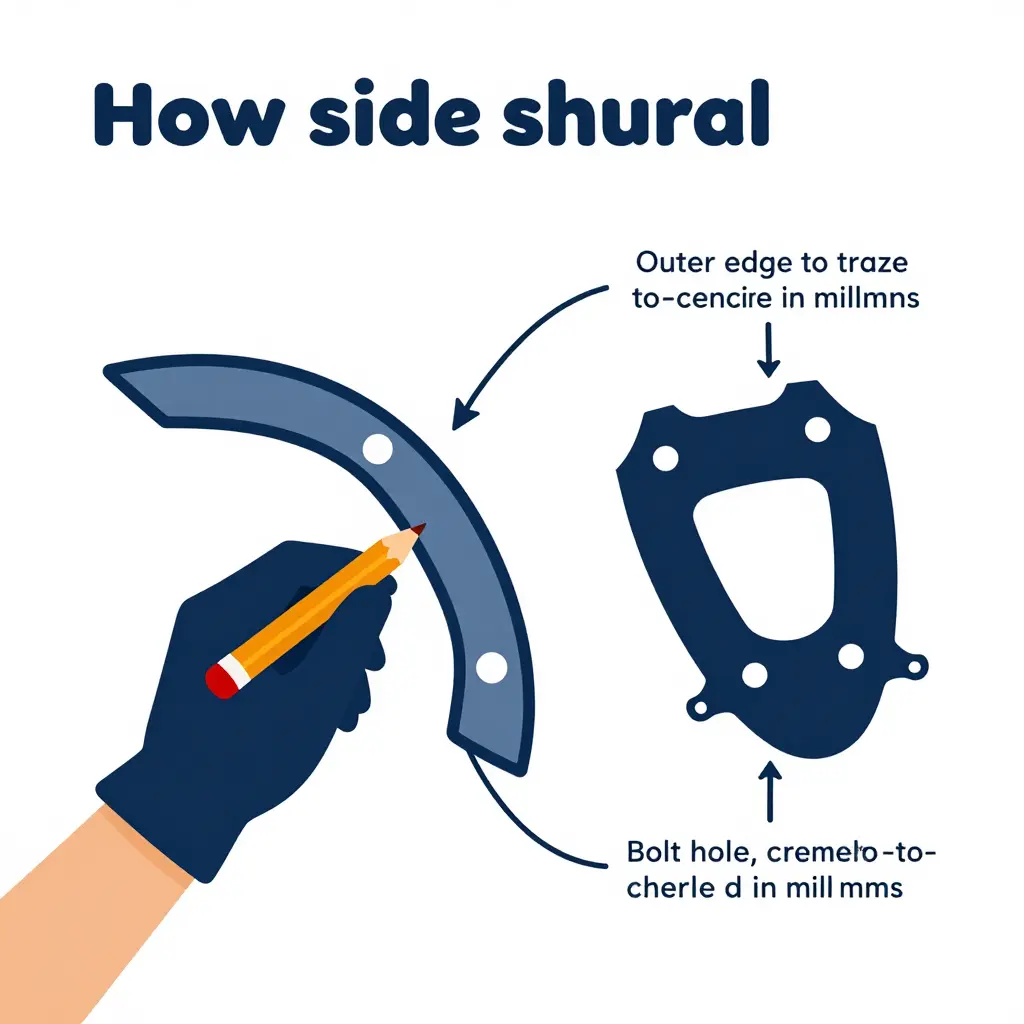
How to Trace the Shroud for an Accurate Fit
When your bike’s model year isn’t listed, you don’t have to guess which pre-cut panel will line up. Trace the shroud yourself and hand the tracing to the graphics maker. A shroud tracing captures the exact outer profile and every vent cutout of your side plastics, so a graphics kit can be cut to match your bike rather than a generic template that leaves exposed edges or wrinkled corners.
The idea is simple: you are creating a full-size paper map of the shroud’s shape. The graphics maker scales it into their cutting software, and the decal follows your plastic’s real contours. Get the tracing right and the rest is straightforward. Rush it and the decal will be off by a few millimeters where it matters most.
The Tracing Method
Work on a clean, flat surface with plenty of room. Remove the side shroud completely from the bike so it can lie perfectly flat, then lay it on a large sheet of paper or cardstock that is bigger than the panel. Use a fine-tip permanent marker and keep it vertical the whole way around; tilting the pen lets the ink drift under the plastic and inflates the outline, which throws off the finished size.
Trace the full perimeter slowly, following every curve, notch, and angle. Then trace any openings – vent slots, cutouts, or holes in the panel – because the graphics sheet needs to be shaped around them. Once the outline is captured, dot the mounting bolt positions onto the same tracing so the bolt holes on the final decal line up. Label each tracing clearly as left or right. Shrouds are mirror images of one another, and mixing them up is one of the most common ordering mistakes.
- Remove the shroud from the bike and lay it flat on oversized paper or cardstock.
- Trace the complete outer outline, including every curve, notch, and edge.
- Trace all internal openings, such as vent slots and cutouts.
- Mark the mounting bolt positions directly on the same tracing.
- Keep the pen vertical throughout to avoid distorting the outline.
- Label each sheet clearly as LEFT or RIGHT before storing it.
From Tracing to Template
Your finished tracing becomes a reference template. The graphics maker treats it as the master shape, matching panel edges, vent openings, and bolt points before printing and cutting your kit. That is often the difference between a decal that drops on cleanly and one that fights you at every corner. If you’re choosing graphics for a machine that isn’t listed in standard catalogs, browsing a range like these custom dirt bike graphics kits shows the panel coverage and styles available before you send your template in. A few extra minutes with the marker now means your SKDA dirt bike graphics kit will fit like it was made for your plastic – because, thanks to your tracing, it effectively was.
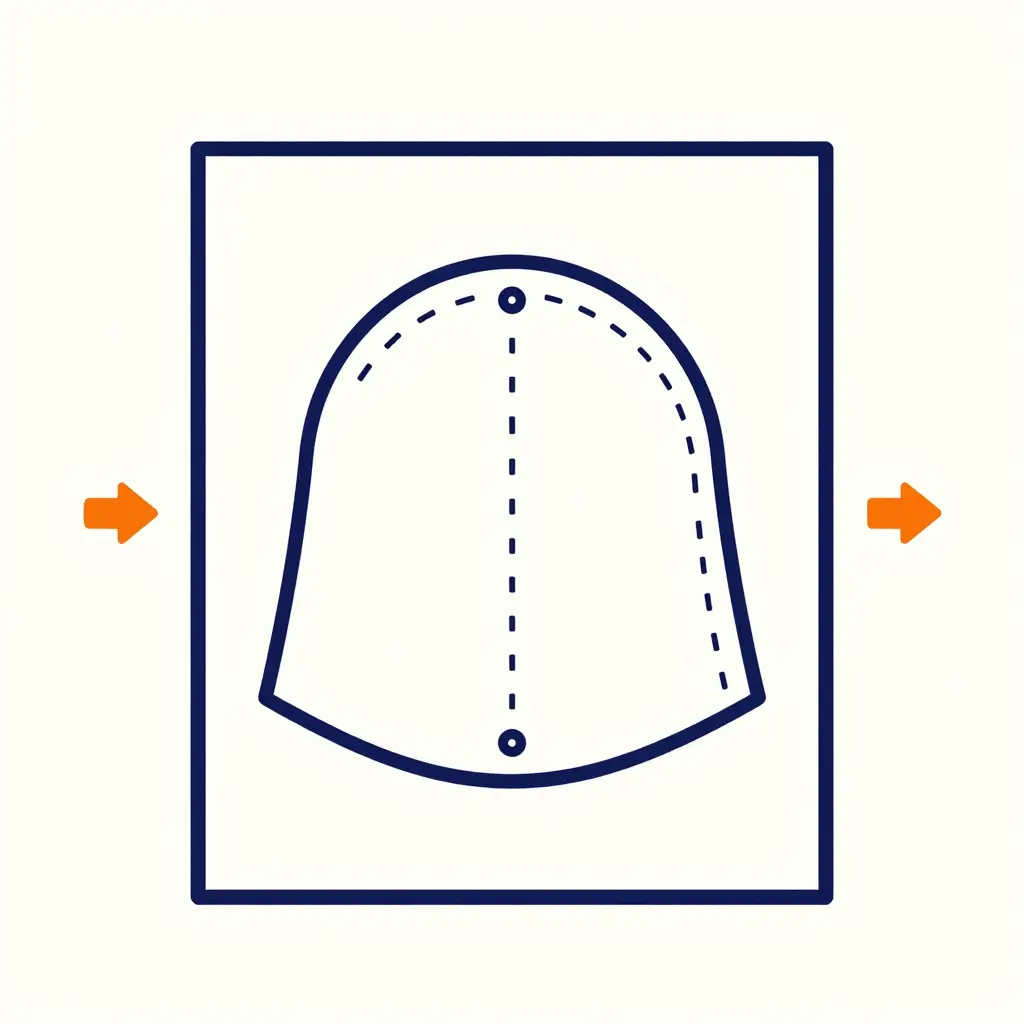
The diagram above shows the core principle behind tracing an unlisted shroud: lay the plastic panel flat on paper, trace its outer edge with a dashed line, then mark each bolt hole as a dot so you can measure the exact spacing before ordering.
How to Check Bolt Spacing Before You Order
Once you have traced the shroud, the next number you need is the bolt spacing: the distance between the mounting holes on your shroud, the plastic panel that wraps around the radiator and frame. Those holes are where the fairing bolts pass through, and their exact positions decide whether a pre-cut custom graphics kit will drop straight on or fight you the whole way.
Get this wrong and the kit sits misaligned, wrinkles under the bolt heads, or leaves an ugly gap at the edges. On older or unlisted models, the mounting holes can shift by only a few millimeters between years, so guessing is not an option.
How to measure bolt spacing in five minutes
- Remove the shroud from the bike and lay it flat on a clean bench.
- Place a ruler or tape measure across the panel and locate each mounting hole.
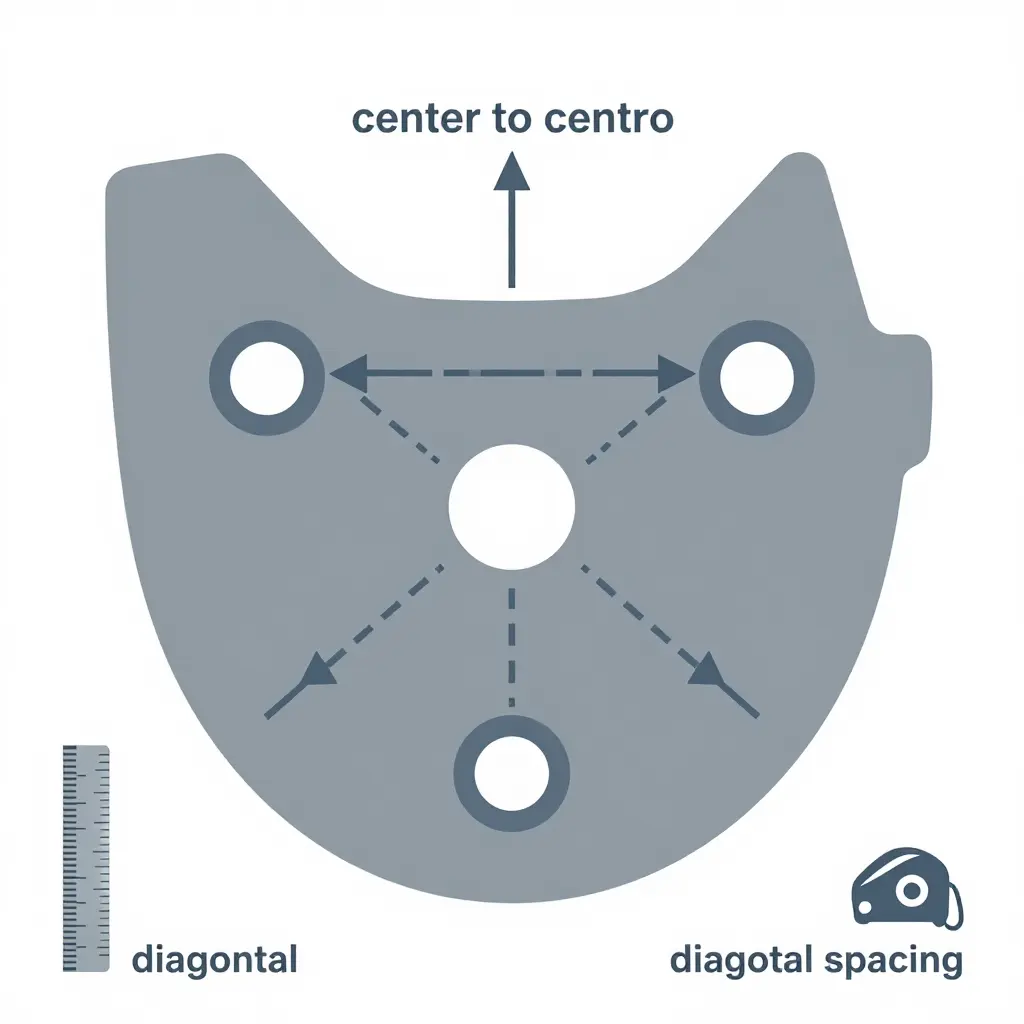
- Measure center to center – from the middle of one hole to the middle of the next. Do not measure edge to edge.
- Record every distance between adjacent holes, plus any diagonal spacing between non-adjacent bolts.
- Double-check each number. If two readings differ, measure again.
Log your numbers like this
| Shroud | Bolt Pair | Center-to-Center (mm) |
|---|---|---|
| Left radiator | Hole 1 to 2 | 46 |
| Left radiator | Hole 2 to 3 | 92 |
| Left radiator | Hole 1 to 3 (diagonal) | 101 |
| Right radiator | Hole 1 to 2 | 46 |
| Right radiator | Hole 1 to 3 (diagonal) | 101 |
Why the small numbers matter
A difference of just a few millimeters is enough to pull a pre-cut kit off-center. When the holes no longer line up, the vinyl stretches in one spot and bubbles in another, and the shroud edges end up showing bare plastic. Capturing precise bolt spacing alongside your shroud tracing gives the graphics maker everything needed to build a precise custom graphics kit, with no returns, no trimming, and no compromises.
Send the tracing and your spacing table together and the fit will match your plastics the first time. You can also explore ready-made brand-specific graphics kits while you gather your measurements.
Bolt Spacing Quick Reference
Treat this as a field worksheet you complete during your inspection. Walk around the bike, lay a tape measure across each plastic, and write down the center-to-center distance between every mounting bolt before you even open a browser. Fill in the blanks below for your exact model year so you can compare panels side by side and catch mismatched hardware at a glance.
| Shroud Position | Measured Spacing (center-to-center) | Number of Mounting Holes | Notes / Diagonal Spacing |
|---|---|---|---|
| Left Shroud | ___ mm | ___ | Diagonal: ___ mm |
| Right Shroud | ___ mm | ___ | Diagonal: ___ mm |
| Front Number Plate | ___ mm | ___ | Diagonal: ___ mm |
| Side Panels | ___ mm | ___ | Diagonal: ___ mm |
| Rear Fender | ___ mm | ___ | Diagonal: ___ mm |
| Your Model Year (fill in) | ___ mm | ___ | Diagonal: ___ mm |
Double-check every entry against the plastic you actually have in hand; consistent, repeatable measurements are what keep your custom graphics kit order accurate on the very first try.
Common Fit Mismatches to Avoid
Even with careful planning, a dirt bike graphics kit can still fail to fit an unlisted model year. Most fit failures trace back to a handful of predictable mismatches. Each one has a clear cause and an equally clear fix, and every one of them comes back to the same two habits: accurate shroud tracing and verified bolt spacing. When you browse options like our custom dirt bike graphics kit collection, those two habits are what keep a pre-cut kit aligned.
Assuming identical plastics across nearby model years
A kit cut for a 2019 may not drop onto a 2020 model unchanged; manufacturers sometimes revise the shroud or side panel between those years, and the pre-cut shapes stop lining up. Confirm the exact plastic part numbers for your year and trace the shroud yourself instead of trusting a “close enough” neighbor year.
Forgetting that aftermarket plastics differ from stock
Aftermarket restyle panels can be longer, wider, or repositioned relative to OEM, so graphics ordered on stock dimensions bunch, overlap, or leave gaps. Trace the aftermarket shroud you actually installed, and tell the seller which panel brand and model you used.
Measuring only one side
The right shroud is not always a mirror of the left. An extra exhaust cut-out, a different vent, or a shifted bolt hole can throw the whole kit off, so trace and measure both sides independently and verify bolt spacing on each one.
Ignoring vent and cut-out shapes
Skip the vents, air-box openings, and edge cut-outs and the graphics kit will cover holes that need to stay open or stretch around shapes it was never cut for. Mark every opening on your shroud tracing so the finished kit arrives with matching apertures.
| Mismatch | Cause | Practical fix |
|---|---|---|
| Assumed identical plastics | Nearby model years differ | Confirm part numbers; trace the shroud |
| Stock vs aftermarket panels | Aftermarket plastics vary | Trace the mounted panel; name the brand |
| One-sided measuring | Left and right asymmetries | Measure both sides; verify bolt spacing |
| Ignored vents and cut-outs | Openings never mapped | Mark every opening on the tracing |
The pattern is consistent: when a graphics kit misses, it is almost always because a shape or a hole was assumed rather than confirmed. Tracing the shroud and checking bolt spacing catch each of these mismatches before you place an order, replacing guesswork with measurements you can trust.
Pre-Order Verification Checklist
Before you commit to a custom graphics kit for an unlisted model year, you need rock-solid measurements so the final fit lands perfectly on the first try. Work through the steps below in order, and keep a notepad handy to record every number as you go.
- Remove the plastics – Take off the shrouds, front fender, and side panels so each piece can be handled flat and traced without interference.
- Trace each shroud – Lay the shroud face-down on a large sheet of paper and trace the full outline, capturing every curve, tab, and cutout.
- Mark the bolt holes on the tracing – With the plastics in place, push a pencil or thin marker through each mounting hole so its exact position transfers onto your paper.
- Measure center-to-center bolt spacing – For every pair of adjacent holes, measure from the center of one hole to the center of the next and write that value directly on the tracing.
- Record diagonal spacing – Measure from one corner hole across to the opposite corner hole to catch any asymmetry that could throw off alignment.
- Photograph the shrouds – Take bright, well-lit photos of the front and back of each shroud, laying a ruler beside the bolt holes for scale.
- Label left and right – Mark each tracing and photo as “left” or “right” so the two sides are never accidentally swapped during production.
- Note any aftermarket plastics – If your bike wears non-stock shrouds, record the brand and part number, since aftermarket shapes often differ from OEM.
- Confirm your color or design selection – Jot down your chosen colors, number and name placement, and any design references so nothing is left ambiguous.
With a clear shroud tracing, accurate bolt spacing numbers, and labeled photos in hand, you can order with confidence even when your model year isn’t listed.
Order With Confidence
Ordering a SKDA dirt bike graphics kit for an unlisted model year does not have to feel like a gamble. The whole process comes down to two habits: trace the shroud so your template matches the real plastic shape, and check bolt spacing so every mounting hole lines up exactly. Do those two things and the guesswork disappears, replaced by a precise order that fits the first time.
Trace the shroud: lay your plastics flat, outline the full panel, and record every curve and cutout.
Check bolt spacing: measure the distance between mounting holes and note their diameters before you submit.
With those numbers in hand, you can confidently pick your design and send it off. Accurate measurements lead to a clean, lasting fit and a refreshed look that stays sharp ride after ride. If you want to see how a finished kit comes together, explore our KTM graphics collection for inspiration. Measure once, order right, and get back to riding.