
How the Rainbow Shift Happens
The rainbow shift on holographic vinyl comes from light, not pigment. 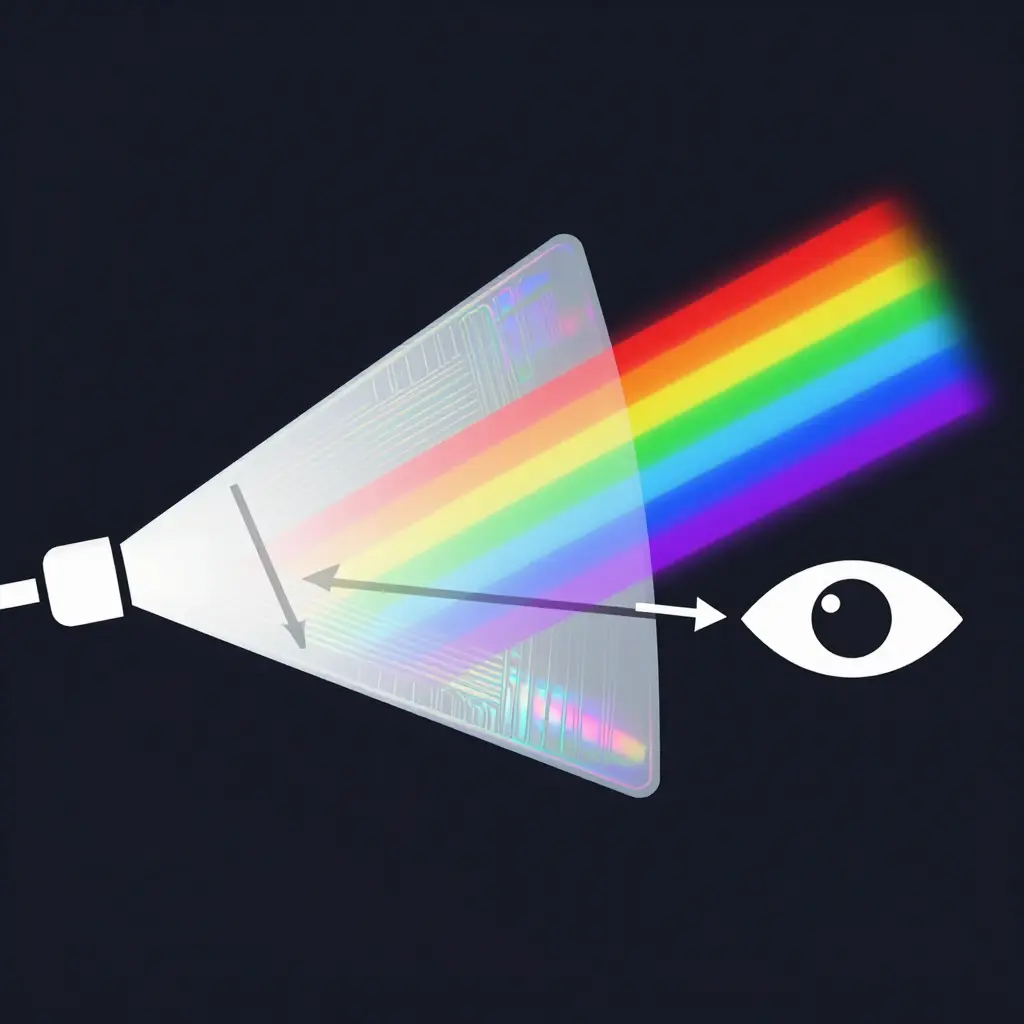
The film carries a diffraction layer – a surface embossed with microscopic parallel grooves. When white light strikes that layer, the grooves separate it into individual wavelengths, and each color leaves at a slightly different angle. Shift your position and you catch a different color.
A micro-prismatic film goes further. Instead of flat grooves, it uses tiny repeating prisms that spread the reflected light over a wider range, so the bands look stronger and stretch further across the panel as you tilt it.
Two things decide the color you see:
- Viewing angle and light direction – change the angle between the light, the film, and your eye, and a different band of the spectrum appears; sun, shade, and low light each bring out different hues.
- Film orientation – the direction you cut relative to the grooves decides where the shift falls across a panel.
Film orientation is why roll grain matters at the seam. Cut every piece of a custom dirt bike graphics kit in the same direction and the color break runs clean across the joint instead of snapping mid-panel.
Why the Hue Changes With Your Angle
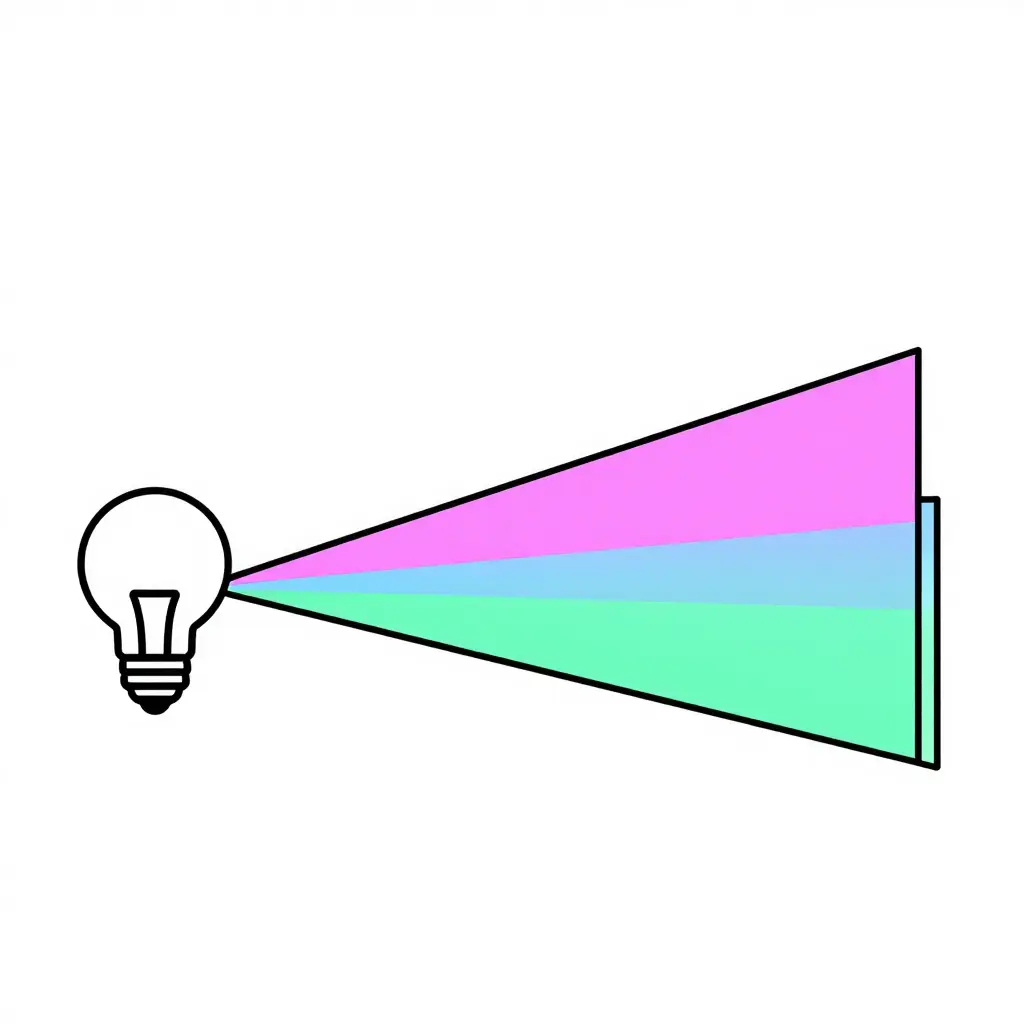
The diagram above shows the same mechanic at work in every holographic kit. One light source hits the flat film, the reflected beam can reach your eye from two different angles, and each angle lands on a different spectral band. The film itself does not change between those two beams – only the angle at which your eye, or a camera, meets the surface.
Walk around your bike and you see it happen. On the shroud you might catch magenta; step two feet to the side and the same spot goes green. Three things follow for anyone installing this film:
- Judge color from more than one angle before you commit. A single glance is misleading.
- Two panels cut from the same sheet can look mismatched just because they sit at different angles to the light.
- Seam placement matters. Where the film folds over an edge or crosses a plastic joint, the reflected angle jumps – and so does the color you see.
Why the Rainbow Shift Breaks Across the Shroud Seam
Dirt bike plastics are not one molded shell. Each side shroud, the front number plate, and the rear fender are separate panels, so a graphic that spans the shroud seam is really two pieces of film meeting at a joint. This matters because the holographic layer is directional: its rainbow reflection depends on light hitting the embossed grating at the same angle across both pieces.
Cut or apply the two pieces with mismatched orientation and the grain on one side runs against the grain on the other. The rainbow shift then breaks at the joint. One panel flips from blue to green while its neighbor stays red, and the color appears to jump or reverse along the seam.
The grating angle differs between the two pieces, and you can see the result the moment you step back and compare both sides. To avoid it, match roll and grain direction on every panel before you cut, the same way you would with a pre-cut KTM graphics kit.
Match each holographic film family to its grain behavior before you orient and cut your panels:
| Holographic vinyl family | Rainbow shift intensity | Roll grain direction obvious? | Best orientation across shroud seam | Difficulty matching grain before cutting |
|---|---|---|---|---|
| Standard rainbow holographic | High – strong single-hue sweep | Yes – clear linear grain | Keep grain parallel to the seam | Moderate |
| Oil-slick / iridescent | Very high – multi-color shift | Subtle – hard to spot | Any direction, low impact | Low |
| Glitter-flake holo | Medium – sparkle, not a smooth sweep | Yes – flake lines align | Keep flake direction continuous | High |
| Matte holo | Low – soft diffused glow | Barely visible | Match the matte sheen direction | Low to moderate |
When in doubt, run the grain parallel to the shroud seam and cut both panels from the same roll run so the shift flows across the joint. Our holographic graphics kits show each finish installed.
Roll Grain: Why It Must Be Matched Before You Cut
Roll grain is the directional pattern built into vinyl film during manufacturing. As the material is extruded and embossed, it takes on a subtle orientation that runs consistently along the length of the roll. On holographic film, that grain direction controls how the rainbow shift and any surface texture reflect light.
Grain direction is fixed when the film is made, so you cannot change it – only orient your cut to match. Cut two adjacent panels from different grain alignments and the shift no longer lines up across the seam: one panel flips warm, the other cool, and the texture looks mismatched. Matching roll grain keeps every connected panel on the same orientation.
Before you cut:
- Lay both panels in the same direction on the roll.
- Use the factory edge as your grain reference.
- Draw a pencil arrow on the backing before you cut.
Ready-to-install kits arrive grain-matched: browse our dirt bike graphics collections.
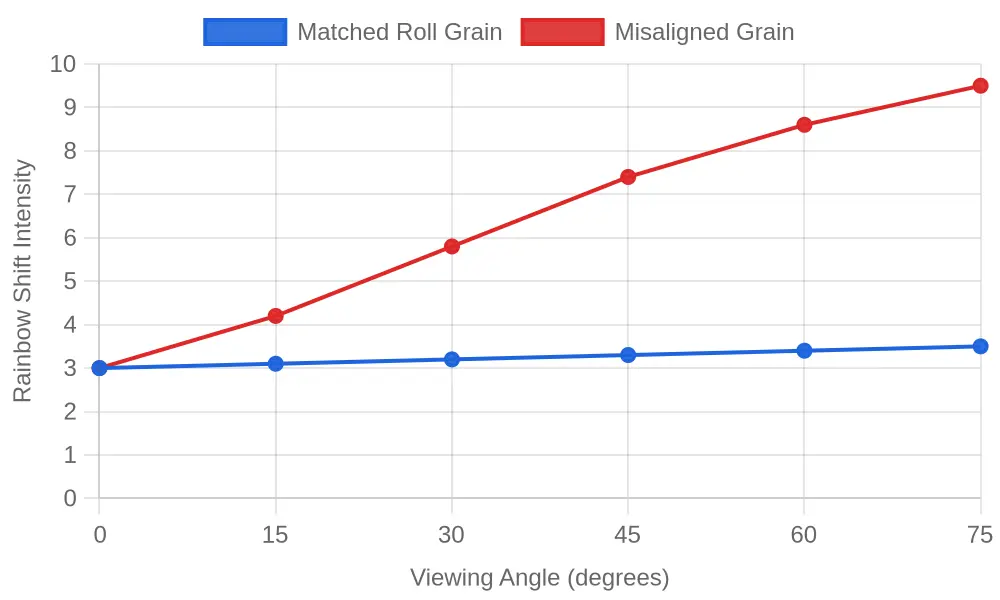
As you tilt the panel through different viewing angles, matched grain keeps the rainbow shift smooth, while misaligned grain splits sharply at the seam.
Match Roll Grain Before You Cut
Lock down grain direction before you cut a holographic graphics kit and the rainbow shift carries across the whole bike as one surface. Work through these steps:
- Confirm grain direction under a bright light. Hold the sheet under a raking lamp and tilt it until the holographic pattern flares; the direction in which the shift rolls cleanly is your true grain.
- Mark a reference arrow on the film backing. Draw a small arrow on the backing paper of every panel pointing along the same grain direction, so you never lose track after peeling.
- Lay panels in a consistent orientation. Spread all the pieces on a flat, lint-free table with every arrow aimed the same way before you commit to any cut.
- Test-dry-fit the pieces across the shroud seam. Lay the left and right shroud panels in place without adhesive to see how the rainbow shift lines up where they meet.
- Align the shift by eye before trimming. Nudge the panels until the color flows across them, then hold that position with a strip of low-tack tape.
- Cut adjacent panels from the same grain run. Trim neighboring pieces from one section of the roll so their shift pattern stays matched edge to edge.
Get the habits right and a custom dirt bike graphics kit catches the light as one surface, with no mismatched patch at the seam.
The same rule in its simplest form: holographic film is made in a roll, every panel carries a fine directional grain, and that grain decides how the shift behaves as the light moves. The diagram below shows three upright panels across a shroud seam in two states. In the top row every grain arrow points the same way, so the color sweeps smoothly across the seam. In the bottom row the arrows disagree from panel to panel, and the shift snaps at the seam line.
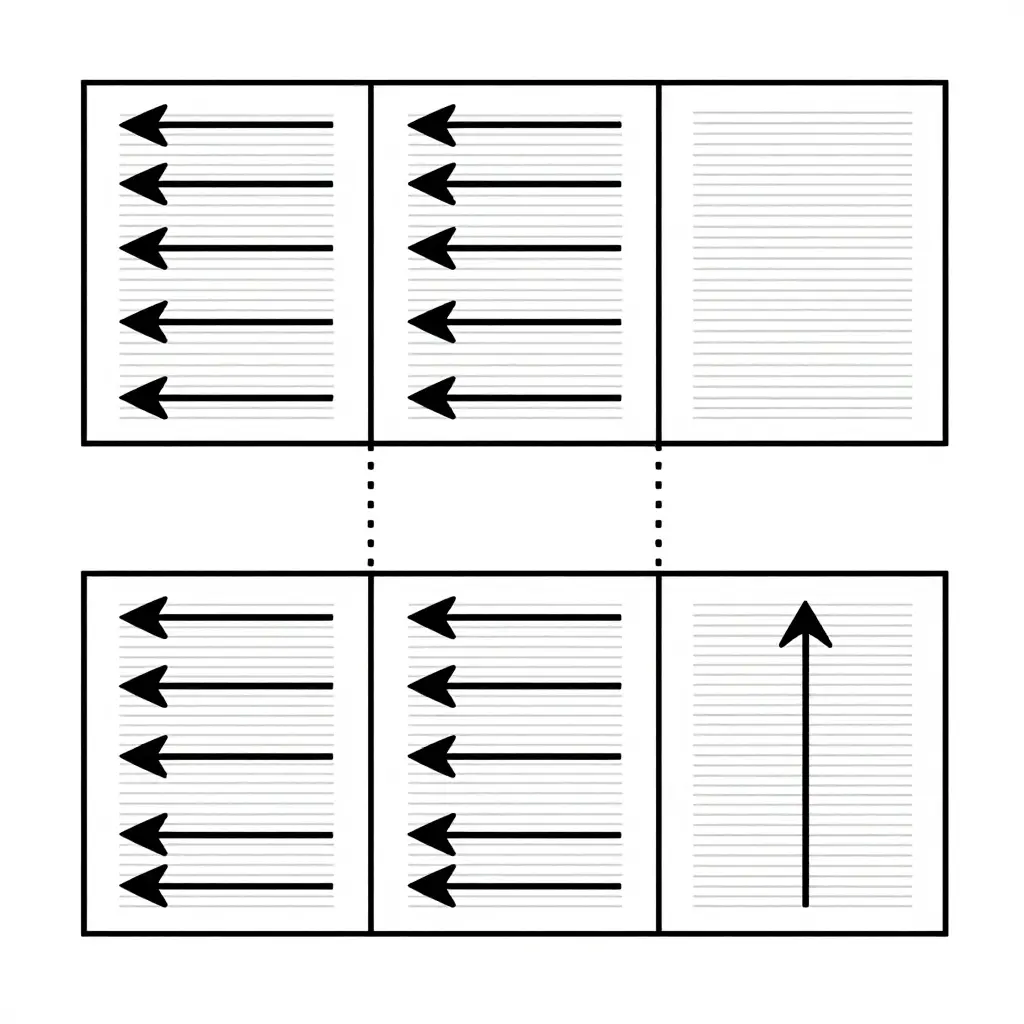
Use it as a cutting reference, not a finished layout. Before you trim, lay the film on the bench with the factory edge running the same way on every piece, flip nothing unless the design is meant to mirror, and keep the grain arrows pointing the same way. A panel that points sideways catches the light differently and looks like a mismatched patch once it is stuck to the bike.
Installation Tips for a Seamless Holographic Wrap
Once the pieces are cut and grain-matched, installation is mostly a matter of going slowly. Mist the shroud with slip solution so you can reposition each panel before it bites, then squeegee from the center outward, chasing the solution to the edges to avoid trapped bubbles. Keep your light at one angle as you place pieces across the seam, and watch the rainbow shift to confirm the grain lines up. Apply low heat only where the vinyl needs to stretch, and keep the gun moving so the holographic layer does not cloud.
- Mix a few drops of dish soap with water for your slip solution.
- Tack one edge, then squeegee center-out in firm, overlapping strokes.
- Hold your light at one angle to match the color shift across the seam.
- Use brief, low heat; overheating dulls the holographic effect.
For models with tighter shroud contours, browse these compatible Hyper Bee graphics built for popular models.
Measure and Match, Then Cut
A clean holographic result depends less on the design than on two steps taken before you cut. Align the rainbow shift so it runs continuously across the shroud seam, and match roll grain direction across every panel so the light behaves the same way from one side to the other. Get both right and the graphics sit flat and read as one piece; skip either and no amount of careful trimming hides the break. Measure and match, then cut.
When you are ready, browse grain-aware kits on motograpics.com at your own pace.