
In the vibrant world of motorcycle enthusiasm, the aesthetics of a dirt bike can be just as significant as its performance. This is where dirt bike graphic design software comes into play, serving as a crucial tool for riders and shops alike. Customization is paramount in this community, where individuality and personal branding can make all the difference. With the right graphic design software, motorcycle enthusiasts can create eye-catching designs that reflect their unique style and personality, transforming their bikes into stunning visual statements. Not only does this customization enhance the riding experience, but it also boosts the branding potential for repair shops and motorcycle dealers, allowing them to offer tailored graphics that resonate with their clientele. Features such as user-friendly interfaces and extensive design libraries empower both novice and expert users to easily craft unique graphics that stand out on the track or trail. Explore various options available on platforms like MotoGraphics to discover how you can elevate your dirt bike’s visual appeal through the power of graphic design software.
Top 5 Dirt Bike Graphics Design Software
Creating eye-catching graphics for dirt bikes requires the right software tools. Here are five popular options that cater to various skill levels, from beginners to professionals.
1. Adobe Illustrator
Adobe Illustrator is the industry standard for vector graphics. Its robust editing capabilities offer precision and a wide range of tools that enable users to create intricate designs. The advantage of vector graphics is their scalability without loss of quality, making it ideal for creating custom dirt bike decals. For detailed graphic work, Adobe’s integration with printing services streamlines the transition from design to application.
2. Photoshop
Adobe Photoshop is another staple in the design community. While more focused on raster graphics, it offers powerful tools for editing images, which can be essential for manipulating photos or creating stunning visual effects for bike graphics. Users can create complex designs by layering images, and the software’s extensive toolset provides all necessary functionalities for high-resolution artwork.
3. CorelDRAW
CorelDRAW is favored for its precision and user-friendly interface. It’s particularly valued by graphic designers for creating vector graphics, making it excellent for dirt bike graphics that need to be scalable. Additionally, CorelDRAW features built-in integration with various printing services, simplifying the entire process from design to final application. Learn more about its features here.
4. Bike Designer Pro
Bike Designer Pro stands out for its user-friendly interface, catering to both amateurs and professionals. It offers pre-made templates specifically for dirt bike graphics, making it accessible even for users without advanced design skills. This software allows quick customizations, which is great for someone looking to create unique designs without extensive training.
5. Rhino 3D
For more advanced users, Rhino 3D offers exceptional functionality with its advanced surfacing tools. This software is perfect for professional-quality results, providing features crucial for realistic bike graphics rendering. Users can leverage its capabilities to design specific parts and create prototypes of their custom graphics. For further insights, check out this resource.
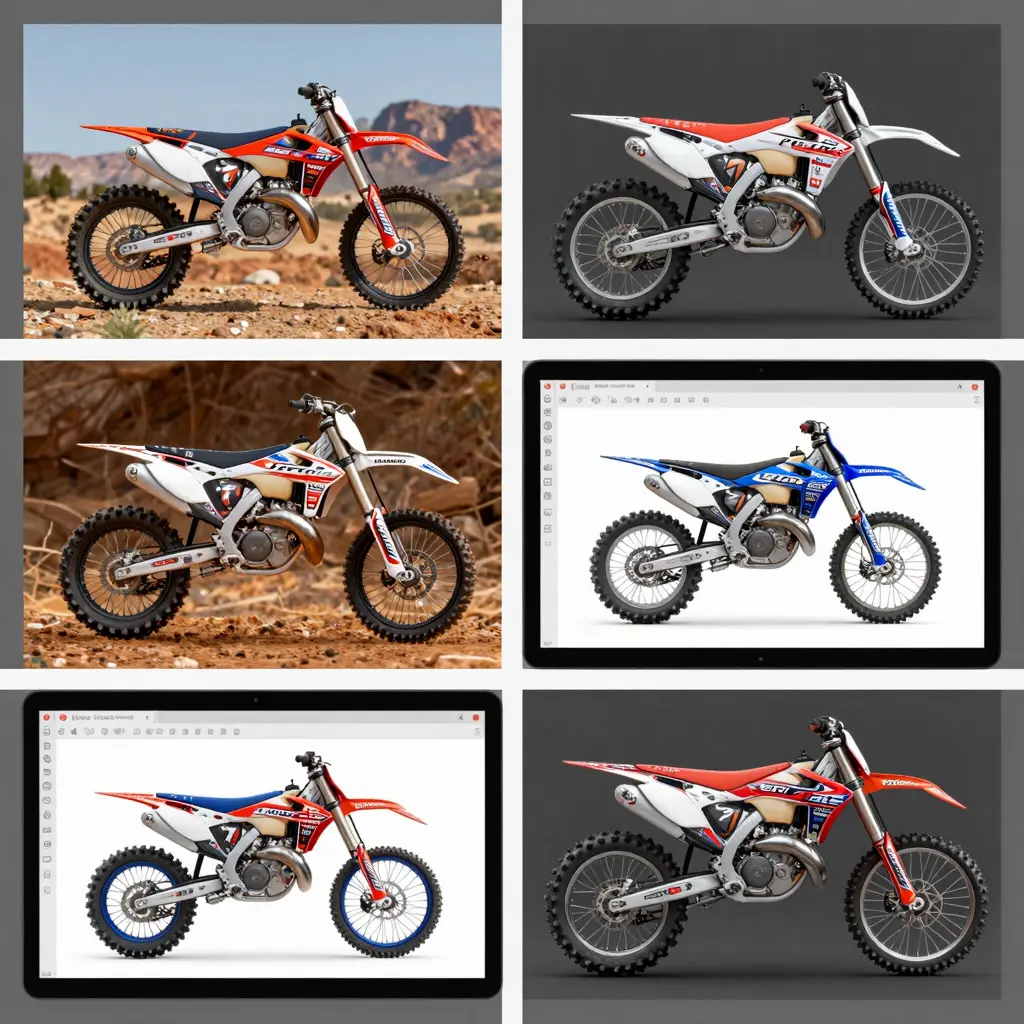
Whether you’re a motorcycle owner, a technician, or part of a repair shop, utilizing the right design software can significantly enhance your graphic projects. With these tools, you’ll be able to showcase your style on the trails effectively.
Essential Features to Look for in Dirt Bike Graphics Design Software
When selecting dirt bike graphics design software, whether you are a motorcycle owner or a repair shop, it is crucial to consider several key features that enhance usability and output quality. Here are the essential features to look for:
1. User-Friendliness
One of the first factors to look for is user-friendliness. The software should have an intuitive interface that allows both seasoned designers and beginners to navigate easily. A clean layout with straightforward icons and toolbars helps reduce the learning curve, enabling users to focus more on their creativity rather than mastering complex functionalities. Tools that offer contextual help and guided workflows can further enhance the user experience. This quality is paramount, as software with a complicated interface can lead to frustration and decreased productivity, particularly for users who are not tech-savvy. According to industry experts, user-friendly design software is more likely to see higher customer retention and faster onboarding for new users. Learn more about user-friendliness in design software.
2. Pre-Designed Templates
Templates can save an enormous amount of time, especially for those who regularly create designs for common dirt bike graphics like tank wraps and fenders. A good design software should include a variety of customizable templates that are specifically tailored for motocross bikes. These templates not only provide a head start for your designs but also allow you to adhere to dimensions specific to different motorcycle models, ensuring a perfect fit. High-quality templates also aid in maintaining professional standards for graphics.
3. Customization Tools
Robust customization tools are fundamental to creating unique and personalized designs. Look for software that offers features for resizing, rotating, layering, and manipulating colors. Additionally, the ability to import logos and add custom text is crucial. Advanced text tools that allow for kerning and tracking ensure that sponsor names and numbers are legible and stylistically appropriate. These tools enable users to craft intricate designs that reflect their personal style or brand identity.
4. Export Options
A significant aspect of delivering professional-quality graphics is having versatile export options. The software should be able to export documents in various high-resolution formats-such as PNG, JPEG, PDF, and SVG-suitable for printing or digital use. An option to adjust the quality settings allows you to optimize the graphics according to their intended use, whether it be for small-scale digital sharing or large-scale vinyl printing. Without effective export capabilities, your designs may not translate well to the intended medium.
5. Integration Capabilities
Lastly, consider the integration capabilities of the software. While this may be less critical than the core design functions, features that allow for seamless integration with other software-like CAD tools or photo editing programs-can significantly enhance workflow efficiency. Additionally, integration with print-on-demand services can streamline the process from design to production. Although this is a secondary consideration, it can save time and ensure more cohesive results across various platforms.
Visual Representation of Features Importance
To better understand the importance of these features, see the chart below:
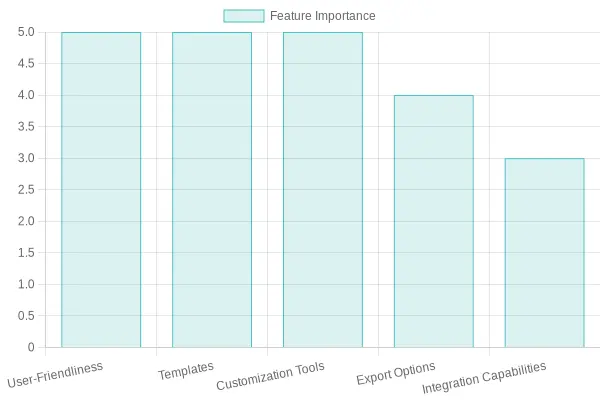
This chart provides a visual comparison highlighting the significance of each feature when choosing dirt bike graphics design software. Overall, prioritizing software that excels in these areas will not only enhance your design capabilities but also improve your overall satisfaction and efficiency in creating graphics for dirt bikes. To discover various graphics designs and templates available, check out some popular categories like 79 Bike Graphics and Eride Graphics.
Comparison of Dirt Bike Graphics Design Software
Choosing the right graphics design software for dirt bikes can significantly impact the creativity and quality of your designs. Below is a comparison of five popular software options, highlighting their key features and pricing.
| Software | Key Features | Pricing Options |
|---|---|---|
| BikeGraphics Pro | Advanced vector-based design tools, 3D preview, and vinyl cutter integration. | $99/year (Standard), $199/year (Pro) |
| Motocross Design Studio | Drag-and-drop interface, AI pattern generator, direct export to plotter files. | $149 one-time purchase, $29.99/month |
| RiderArt | Layer management, stock library, Pro Preview tool for simulating effects. | Free tier, $79/year (Premium) |
| DecalCraft | Shape builders, texture overlay, workflow automation. | $129 lifetime, $19.99/month |
| CustomKart | Curved surface design toolkit, dynamic wrap simulation, social sharing feature. | $59.99 (Base), $149.99 (Advanced) |
This comparison highlights the strengths of each software, allowing motorcycle owners, repair shops, and technicians to select the one that best fits their needs.
Step-by-Step Process to Create Custom Dirt Bike Graphics Using Graphic Design Software
Creating custom dirt bike graphics is an exciting project that allows motorcycle owners to personalize their bikes. Using graphic design software, you can transform your vision into stunning decals. Here’s a comprehensive step-by-step process for making your own dirt bike graphics, especially using tools like Adobe Illustrator, which is highly regarded for this purpose.
Step 1: Conceptualize Your Design
- Identify Inspiration: Start with brainstorming ideas for your graphic design. Look at existing designs, sponsor logos, and color palettes that resonate with your brand or style.
- Sketch Your Vision: Create rough sketches to visualize your ideas. This doesn’t have to be perfect; the goal is to translate your thoughts onto paper.
Step 2: Set Up the Workspace
- Choose Your Software: Programs like Adobe Illustrator are ideal due to their vector capabilities, allowing for scalability without loss of quality. Alternatives like Affinity Designer or CorelDRAW can also be used.
- Open a New Document: Set the dimensions that match the specific parts of your dirt bike. Remember to set it to a high resolution (300 DPI) and use the CMYK color mode for print compatibility.
Step 3: Create the Template
- Use a Clean Template: Import a template of your bike’s body shape. This step is crucial as it helps you design within the constraints of the actual bike surfaces, ensuring your graphics fit perfectly.
- Layering: Use layers in your software to separate different elements of your design. This makes it easier to edit portions without affecting others.
Step 4: Design the Graphics
- Add Graphics: Start adding shapes and elements based on your sketches. Use vector tools for sharp lines and curves, maintaining clarity.
- Color Selection: Choose colors that stand out and represent your brand well. High-contrast colors enhance visibility, especially in action sports. Explore our bike graphics collection for inspiration.
- Incorporate Logos and Text: If you have sponsor logos or text, import and position them appropriately. Make sure texts are legible even from a distance.
Step 5: Fine-Tune the Design
- Advanced Techniques: Apply gradients for a 3D effect and simulate textures that mimic vinyl for added realism. This can be done by experimenting with blending modes and layer styles.
- Test at Full Size: Always check your design by scaling it to the full size to see how it will appear in real life. This also helps in adjusting the placement of logos and phrases.Learn more about graphics design processes.
Step 6: Prepare Files for Printing
- Export Settings: Once satisfied with your design, prepare your files for vinyl printing. Export your final design as a high-quality PDF or PNG file. Ensure to include bleed margins to prevent cutoff during the vinyl application.
- Collaboration with Printers: Consult with your chosen vinyl printing service to ensure your files adhere to their specifications, avoiding any technical issues.
Step 7: Application and Feedback
- Sticker Application: Once printed, carefully apply your graphics to the bike. Consider the surface’s curvature and take your time to avoid bubbles and misalignment.
- Review and Adjust: Once applied, step back and assess your design on the bike. Gather feedback and make minor adjustments if necessary to perfect the appearance.
Creating custom dirt bike graphics is rewarding and allows for endless creativity. By following these steps, you can ensure a smooth design process and achieve professional-level results. For more examples, check our dedicated sections for KTM graphics or Surron graphics that showcase a variety of designs and styles.
Whether you are a motorcycle owner or a graphic designer, mastering the fundamentals of graphic design software will empower you to create standout graphics that reflect your personal style and connect with audiences.
User Adoption Trends of Graphic Design Software Among Motorcycle Owners and Shops in 2023
The graphic design software market is evolving at a rapid pace, driven by trends that benefit motorcycle owners and shops significantly. Here’s a closer look at the current adoption trends affecting this sector.
Key Trends and Insights
-
AI-Assisted Design Adoption
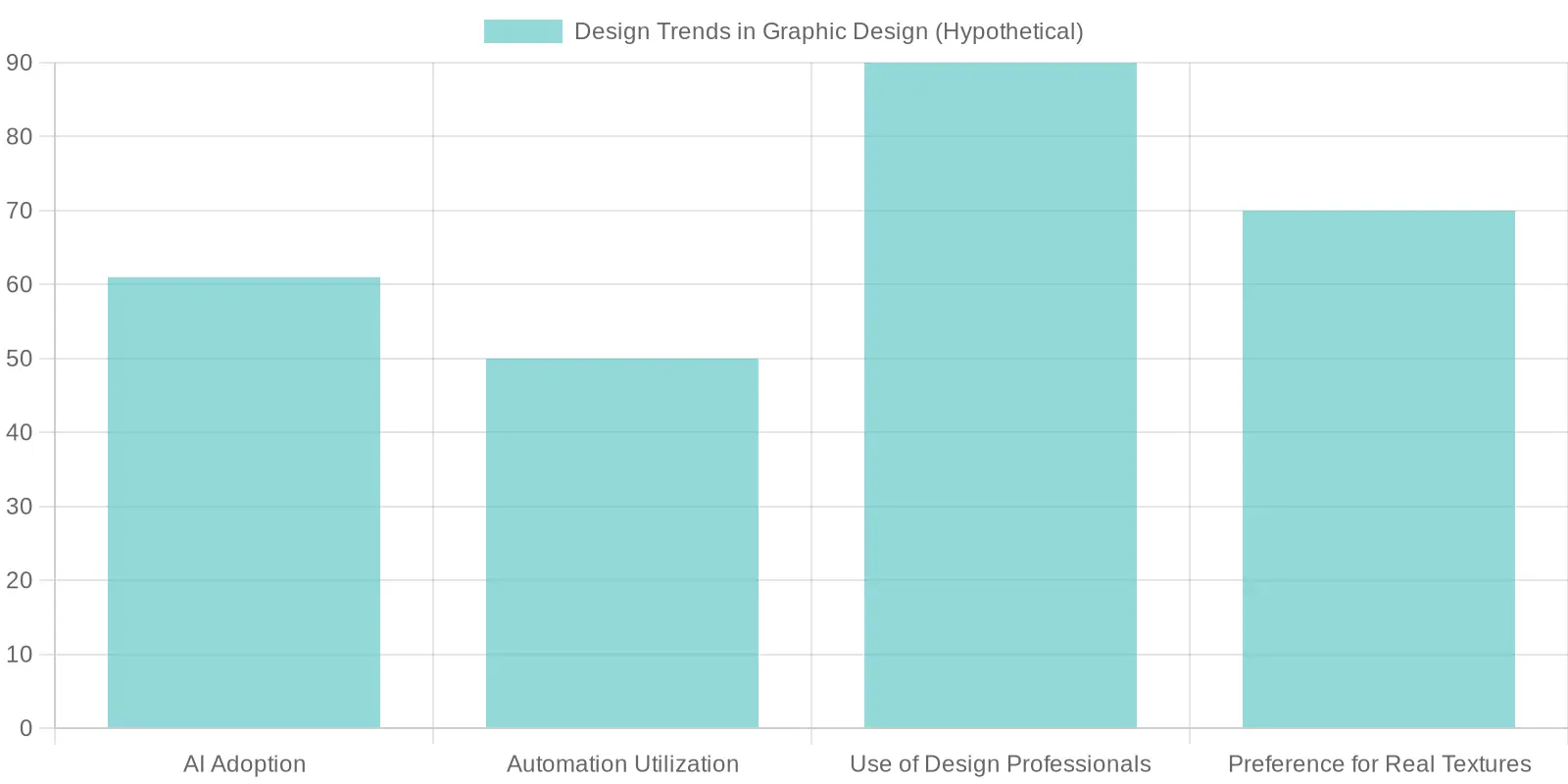
As of 2023, more than 61% of professional designers have begun using AI-assisted tools in their workflows. This shift is particularly evident within the motorcycle industry, where shops leverage these technologies to enhance the branding and marketing of new motorcycle models. The rise of AI is streamlining design processes, allowing for faster iterations and more creative outputs. -
Increased Use of Automation Features
Automation in graphic design tools is increasingly popular. More than 50% of designers are utilizing features that reduce manual tasks. Automation allows motorcycle repair shops to create designs quicker, making them more responsive to market trends and customer demands. -
Preference for Realistic Textures
There is a notable resurgence in the preference for designs that feature realistic textures and elements that mimic natural materials. Approximately 70% of designers report using software that allows for enhanced realism in motorcycle graphics, reflecting consumers’ desires for unique and handcrafted visuals. -
Overall Use of Design Professionals
It was reported that around 90% of businesses in the motorcycle sector utilize graphic design professionals in some capacity. This stat emphasizes the importance of skilled design in achieving competitive edges in a saturated market.
Visual Representation of Trends
To illustrate these trends, here is a chart outlining the hypothetical percentages regarding these topics:
Conclusion
The adoption of advanced graphic design software in the motorcycle industry is more than just a trend; it’s becoming a necessity. As manufacturers and repair shops seek to enhance their brand identity and market offerings, leveraging these technologies will be crucial. Learn more about our graphics products available to revolutionize your motorcycle’s visual appeal.
The Impact of Graphic Design on Motorcycle Branding
Good graphic design plays a crucial role in establishing a motorcycle’s brand identity and perceived value. According to industry experts, graphics significantly influence consumer perception and loyalty. One notable quote from Na Wei and Moyun Yin, who conducted extensive research on this topic, states:
“Design thinking and balance in brand touchpoints are essential to improving perceived credibility and turning customers into brand champions.”
This quote highlights that effective graphic design is essential not just for aesthetics but also as a strategic component of brand communication, engaging customers on an emotional level.
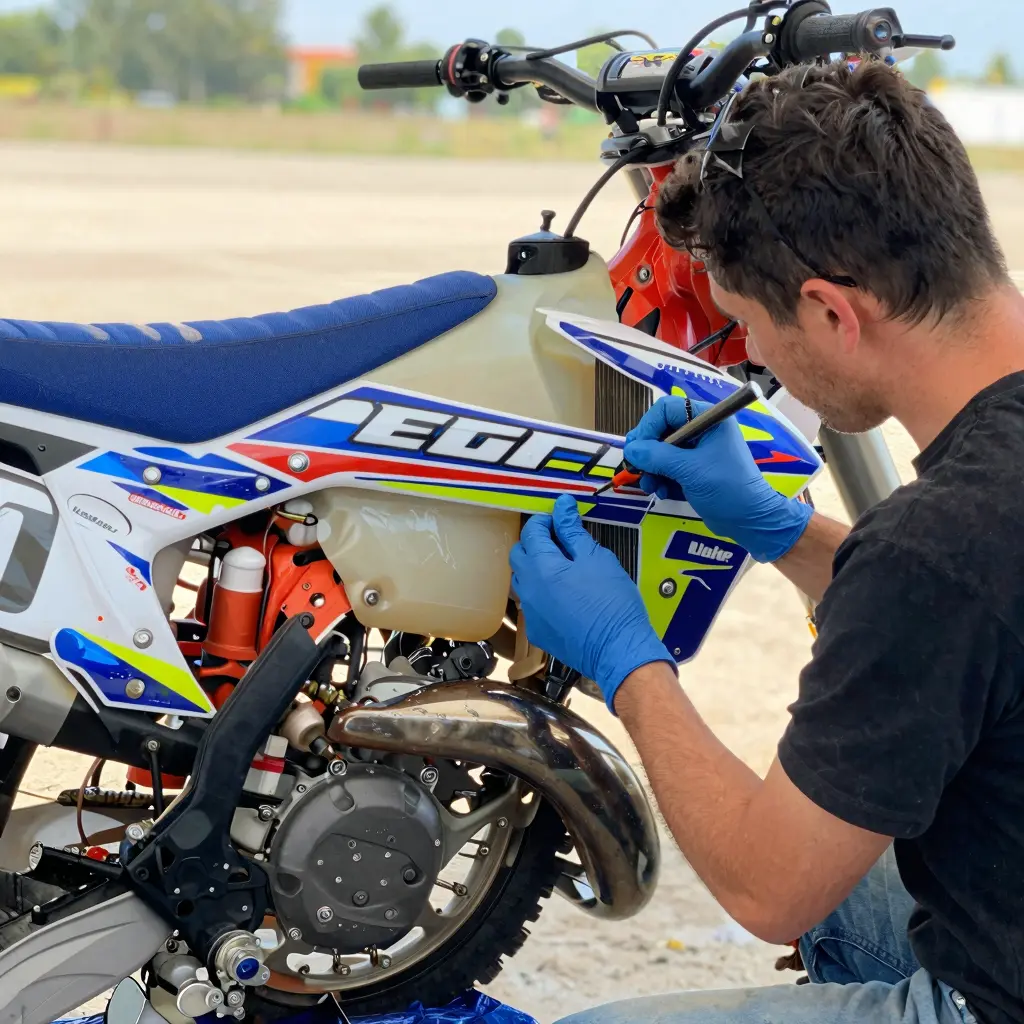
For motorcycle owners and technicians, utilizing the right graphic design software can enhance branding efforts. Explore our various graphic design options, including the 79 Bike Graphics for customization that reflects your style and enhances your ride. Additionally, check out our KTM Graphics for bold designs that make a statement on and off the track.
Conclusion
In the world of dirt biking, graphic design software plays a pivotal role for both motorcycle owners and repair shops. As discussed throughout this article, the right design software enables users to create stunning, personalized graphics that not only enhance the appearance of the bike but also reflect an owner’s unique personality and style.
Moreover, high-quality graphic design software is crucial when it comes to maintaining a professional appearance in a competitive market. For motorcycle repair shops, having access to advanced design tools allows for quick adaptations and customizations in graphics, making it easier to meet customer demands and preferences. It simplifies the process of creating bespoke designs that can attract more clients and retain existing ones, thus boosting the shop’s credibility and reliability.
Additionally, an intuitive and user-friendly graphic design program can save time and resources, streamlining workflows and enabling technicians to focus on other critical tasks. With the increasing demand for custom graphics, investing in top-notch software is not just beneficial but necessary to stay ahead of the competition.
For those eager to explore superior dirt bike graphics, check out our extensive range of products at MotoGraphics tailored for various models and preferences. Remember, good graphic design software isn’t just an asset; it’s a crucial tool that empowers motorcycle owners and shops to elevate their brand and express their unique style on the road.
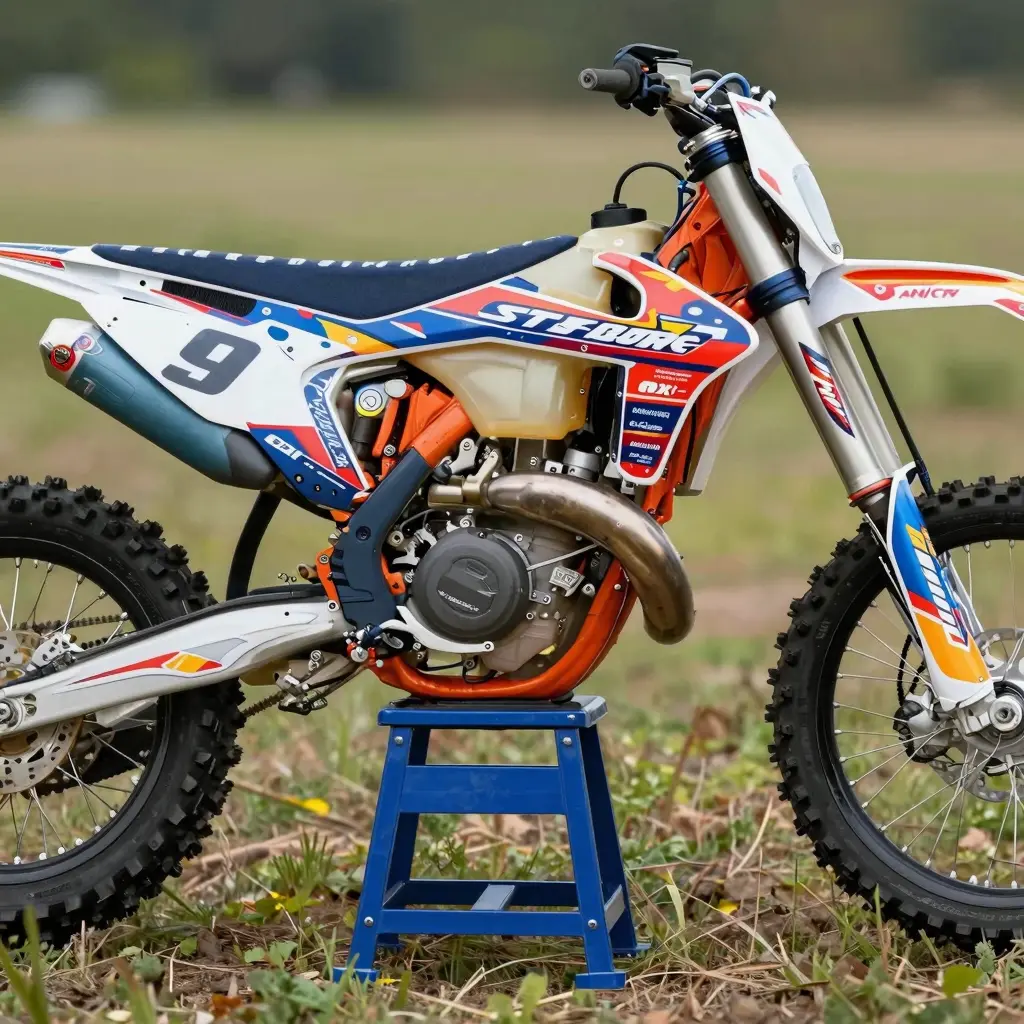
Ready to Customize Your Ride?
If you’re a motorcycle owner or technician, the appeal of a customized bike is undeniable. You want your motorcycle to stand out on the track, in the garage, or on the trails. But where do you start? Graphic design software is your gateway to transforming your bike with unique designs, colors, and logos that reflect your personality or brand.
Explore Your Options
At MotoGraphics, we understand the passion that motorcycle riders have for their rides. That’s why we’ve curated a selection of top-notch graphic design software specifically made for motorcycle graphics. Whether you’re looking to create custom graphics for a dirt bike or modify an existing design, we have you covered. Check out our KTM graphics or explore our dirt bike graphics to see what’s possible!
Why Use Graphic Design Software?
- Create Unique Designs: Stand out with personalized graphics that reflect your style.
- Easy to Use: Modern graphic design software is user-friendly, making it accessible to both beginners and pros.
- Save Time and Money: Instead of outsourcing your designs, you can create them in-house, saving on costs and turnaround time.
- Limitless Creativity: With an array of tools and functionalities, you can explore your creative side without limits.
Get Started Today!
Don’t wait to take your motorcycle’s aesthetics to the next level! Dive into the world of motorcycle graphics with our recommended software. Whether you’re a seasoned technician or a motorcycle hobbyist, there’s a design journey waiting for you.
Explore our software options today and unleash your creativity! With the right tools, the only limit is your imagination.